Microsoft applied a data-driven approach to find out which features to add now, which features to add later, and which to completely avoid.
Which is why if you dig deep enough into Settings you’ll see WinXP Control Panel UI elements. You know, the elements that are actually useful for power users.
The main one I use is the network adaptor settings, where you can enable/disable protocols and most importantly for me, where you can easily add multiple IP addresses on a network adaptor.
The Win 8+ network settings page is an absolute trainwreck. I particularly like how it doesn’t warn about conflicting IP addresses now and just silently accepts your given address and provides an auto-assigned 169.254 address instead if it sees even the smallest hint of another computer out there using the address you want to use.
Guaranteed fun and confusion trying to access/ping things until you finally check the status of the network adaptor and discover the auto assigned address, thanks Microsoft.
Not everyone wants to use dhcp, which is clearly their preferred direction, and there have been bugs where Cisco devices trigger that flip to auto assigned addresses even if things are fine.
Most of the old settings are at least easily reached if you can remember their names such as ncpa.cpl for the settings you mention but when you write “control printers” you get sent into the new Settings view now. Instead you gotta go to the control panel and change view from category to small or large icons to finally right click Devices and Printers and choose “open in a new window” to get there. If you left click it you get sent to the new Settings view.
It seems that every new release adds another layer of indirection (misdirection?) between you and the useful stuff you need to access. I use a third party utility to manage IP settings, and it’s one click from its menu to get to the network adapter page. It takes me about 5 minutes of angry clicking around in stock standard win11 before I get to the same place.
If they were using that data, then they would have included features people actually use in 10. Or maybe they’re just doing the inverse of whatever the data suggests.
Or maybe you’re overestimating the amount of people who actually used that. Spending effort on something that less than maybe 1% of users actually use and that is not load bearing to any important workflows is hard to argue for when you’re a corp that is only concerned about its own bottom line. It’s a pretty rational business decision, even if you (and I) disagree with it.
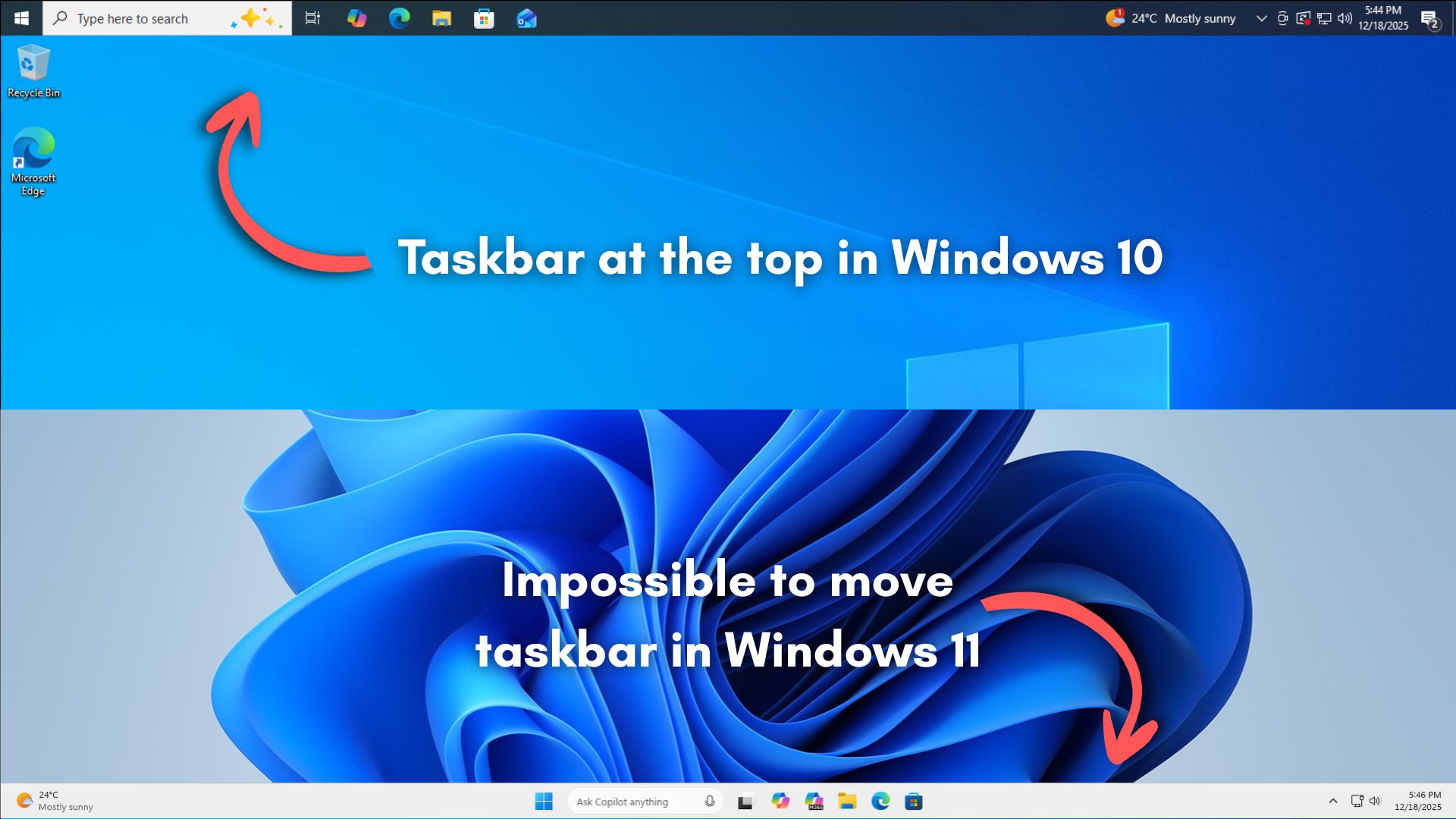
It’s Microsoft, they have all the data. And quite frankly it doesn’t surprise even a little bit, i doubt even 5% of people moved around the taskbar, people are just ready to hitch themselves to every bandwagon they see shitting on Microsoft.
In that case, based on the roughly 1.5 billion Windows users, that’ll only affect a mere 75 million users for a feature that’s been there since Windows 95.
The equation they are thinking of, though, is “will the cost of those who actually quit using Windows outweigh the cost of building and maintaining this feature.” Funnily enough the inability to move the taskbar is what finally pushed me to Linux full-time, but the overwhelming majority will complain and stick to Windows.


WHAT DATA?!
They asked chatgpt
But, only after not getting an answer from Copilot.
Same thing.
Which is why if you dig deep enough into Settings you’ll see WinXP Control Panel UI elements. You know, the elements that are actually useful for power users.
There’s a format dialog from NT still present in win 11
edit: it’s from 1994 according to the person who wrote it
The main one I use is the network adaptor settings, where you can enable/disable protocols and most importantly for me, where you can easily add multiple IP addresses on a network adaptor.
The Win 8+ network settings page is an absolute trainwreck. I particularly like how it doesn’t warn about conflicting IP addresses now and just silently accepts your given address and provides an auto-assigned 169.254 address instead if it sees even the smallest hint of another computer out there using the address you want to use.
Guaranteed fun and confusion trying to access/ping things until you finally check the status of the network adaptor and discover the auto assigned address, thanks Microsoft.
Not everyone wants to use dhcp, which is clearly their preferred direction, and there have been bugs where Cisco devices trigger that flip to auto assigned addresses even if things are fine.
Most of the old settings are at least easily reached if you can remember their names such as ncpa.cpl for the settings you mention but when you write “control printers” you get sent into the new Settings view now. Instead you gotta go to the control panel and change view from category to small or large icons to finally right click Devices and Printers and choose “open in a new window” to get there. If you left click it you get sent to the new Settings view.
It seems that every new release adds another layer of indirection (misdirection?) between you and the useful stuff you need to access. I use a third party utility to manage IP settings, and it’s one click from its menu to get to the network adapter page. It takes me about 5 minutes of angry clicking around in stock standard win11 before I get to the same place.
The data they have compiled from years of people using Win 10 and Msoft Edge.
If they were using that data, then they would have included features people actually use in 10. Or maybe they’re just doing the inverse of whatever the data suggests.
It’s the data of what corners MS can cut to save more money than they lose when x number of users decide enough is enough.
Or maybe you’re overestimating the amount of people who actually used that. Spending effort on something that less than maybe 1% of users actually use and that is not load bearing to any important workflows is hard to argue for when you’re a corp that is only concerned about its own bottom line. It’s a pretty rational business decision, even if you (and I) disagree with it.
Two data points: What their intern could do with React; what their intern couldn’t do with React.
Data can say whatever the hell you want if you lack scruples.
It’s Microsoft, they have all the data. And quite frankly it doesn’t surprise even a little bit, i doubt even 5% of people moved around the taskbar, people are just ready to hitch themselves to every bandwagon they see shitting on Microsoft.
In that case, based on the roughly 1.5 billion Windows users, that’ll only affect a mere 75 million users for a feature that’s been there since Windows 95.
The equation they are thinking of, though, is “will the cost of those who actually quit using Windows outweigh the cost of building and maintaining this feature.” Funnily enough the inability to move the taskbar is what finally pushed me to Linux full-time, but the overwhelming majority will complain and stick to Windows.